• Order before 1:00pm for delivery on your next scheduled delivery day
  • Free delivery on orders $300.00 and above
  • Need help? Call us on 1300 331 753

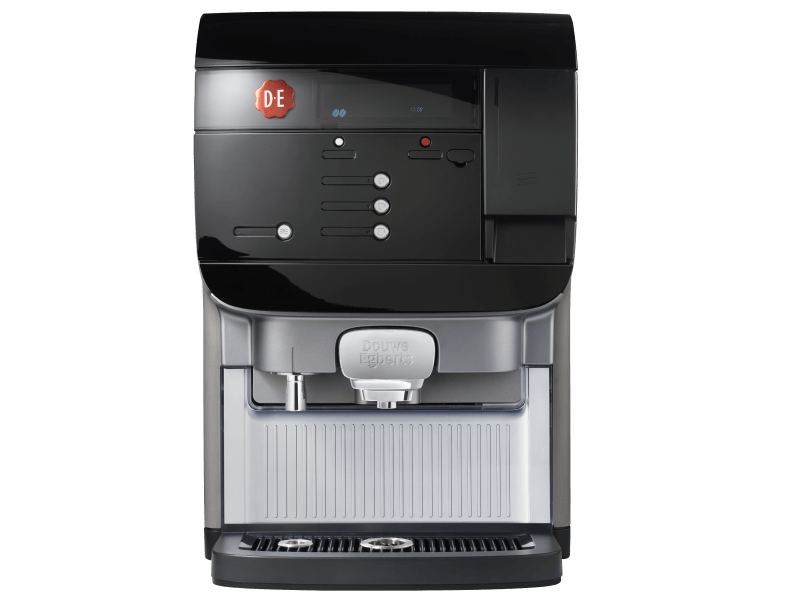
Cafitesse Excellence Compact Black

Weekly cleaning

Keep your machine in top condition by performing an extended cleaning every week in addition to the daily cleaning; for the milk variant, do this twice a week.

This takes about 15 minutes to resolve.

Required items

  • Cleaning brush
  • Damp cloth and dry cloth
  • Paper towel
  • Towel
altText

Continue on mobile?

Scan the QR code

1
23

Activate cleaning mode
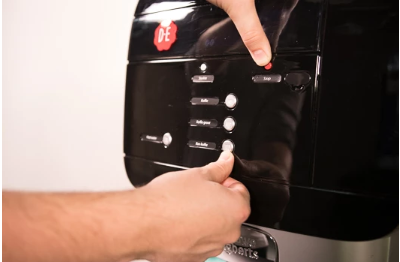
Hold down the red stop button and then press the bottom‑right button (enter). After about 2 to 3 seconds, you will enter the cleaning mode. Make sure you are already holding the red stop button before pressing the bottom‑right button; otherwise, the machine will dispense a beverage.
Image
Image instructions
Click to view

Select the cleaning program
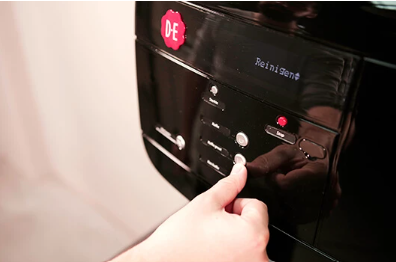
On the display you will see ‘Rinsing’. Use the second button from the bottom right until ‘Cleaning’ appears on the display. Then press the bottom‑right button (Enter). The display will now show ‘remove product pack’.
Image
Image instructions
Click to view

Open the refrigerator door
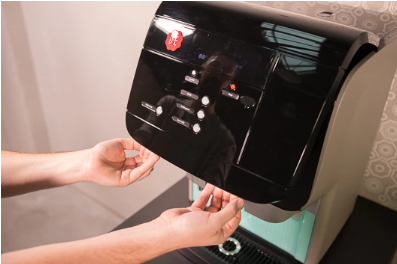
Open the refrigerator door by holding the handle on both sides and lifting it upward
Image
Image instructions
Click to view

Remove the ingredient pack
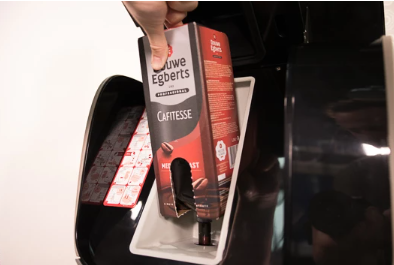
Remove the ingredient pack from the coffee machine by lifting it upward.
Image
Image instructions
Click to view

Clean the cooling compartment
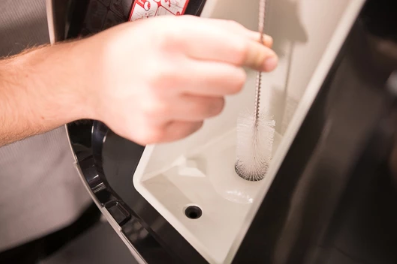
Using the supplied cleaning brush, you can clean the inside of the dosing opening. Then, use a damp microfiber cloth to clean the inside of the cooling compartment. Next, dry the cooling compartment with a paper towel. Now press ‘Enter’ on the refrigerator door (bottom‑right button).
Image
Image instructions
Click to view

Remove the mixer console
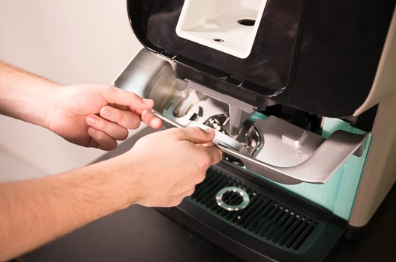
The display shows ‘Remove and clean mixer tray’. First remove the mixer console. This is the grey part directly below the cooling compartment. Grab it and move it downward toward you. You will hear a beep.
Image
Image instructions
Click to view

Remove the mixer tray
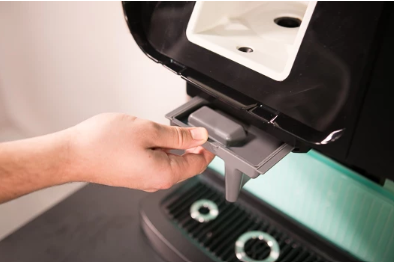
Carefully pull the mixer tray out of the coffee machine. You will hear a beep again.
Image
Image instructions
Click to view

Clean the mixer tray
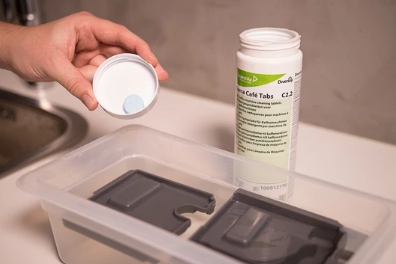
Place the entire mixer tray in the container with hot water and Suma Café Tabs (also read the instructions on the packaging). Let the mixer tray soak for about 15 minutes. Then rinse the mixer tray thoroughly and dry it with a clean, dry cloth.
Image
Image instructions
Click to view

Clean the mixer console
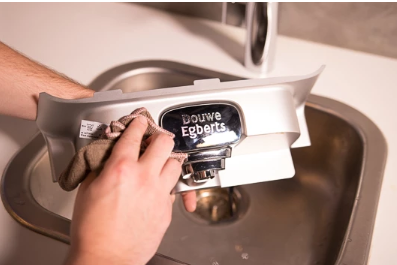
You can clean the mixer console with a damp microfiber cloth.
Image
Image instructions
Click to view

Place the mixer tray
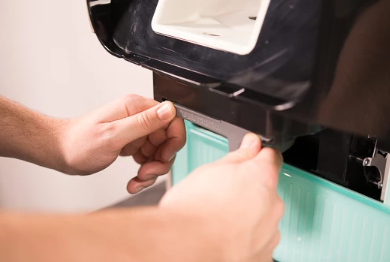
Slide the mixer tray back into the coffee machine. When it is correctly positioned, you will hear a click and a double beep
Image
Image instructions
Click to view

Place the mixer console
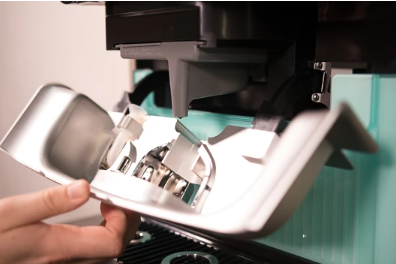
Place the mixer console. Make sure that the two black brackets fall into the metal guides. When you push the mixer console into place, you will hear a click followed by a double beep
Image
Image instructions
Click to view

Place the ingredient pack
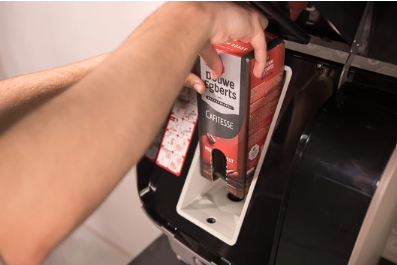
When placing the pack into the coffee machine, make sure that the dispensing spout is positioned directly underneath the pack (at a 90° angle). The pack will then easily slide into the holder. If you place the front of the pack facing you, you can easily see how much product is left in the ingredient pack. Then close the refrigerator door.
Image
Image instructions
Click to view

Start rinsing
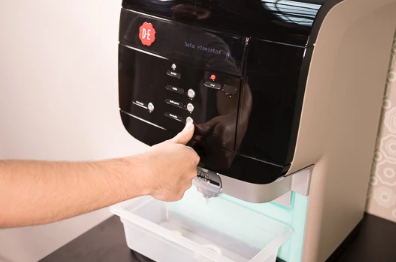
The display now shows ‘Place catch tray’. If you have the water‑tank variant, make sure there is enough water in the water tank. You must place the supplied catch tray under the outlet. If you don’t have it at hand, use a container of at least 1 liter. Once you have placed it, you can press ‘Enter’. The machine will start rinsing.Note! The liquids are hot. Do not touch them
Image
Image instructions
Click to view

Remove the drip tray
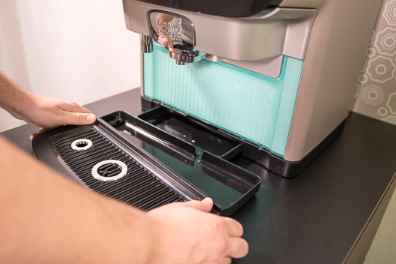
Pull the drip tray toward you. Do this carefully to avoid spilling any water.
Image
Image instructions
Click to view

Remove the water tank
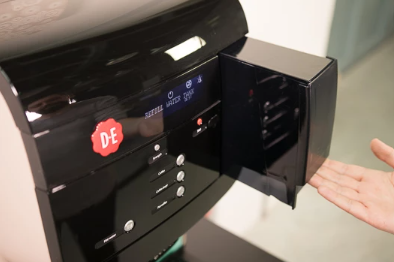
If your Cafitesse Excellence Compact Black has a water tank, you can remove it as well. Hold the water tank at the bottom by the handle and lift it slightly before pulling it toward you.
Image
Image instructions
Click to view

Empty and clean the drip tray
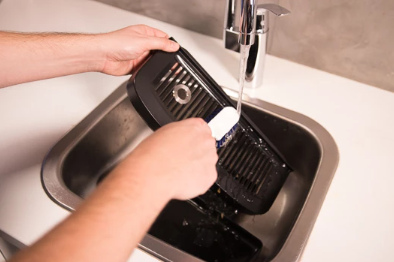
Remove the grate from the drip tray and empty the drip tray into the sink. Clean both the drip tray and the grate under running water using a dish brush, and then dry them with a clean cloth.
Image
Image instructions
Click to view

Clean the water tank
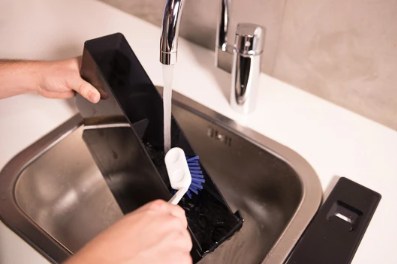
If you have a water tank, you can clean it now. Do this with a dish brush under the tap.
Image
Image instructions
Click to view

Place the drip tray
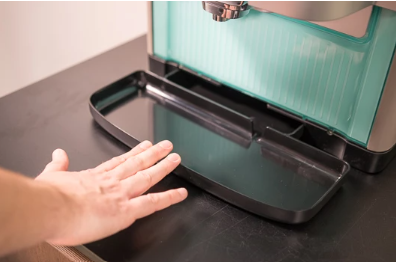
Slide the drip tray back into your coffee machine. Make sure to push it in firmly.
Image
Image instructions
Click to view

Place the grille
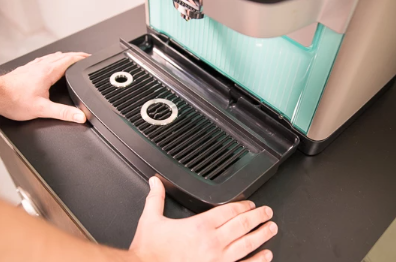
Slide the grille back onto the drip tray.
Image
Image instructions
Click to view

Place the water tank
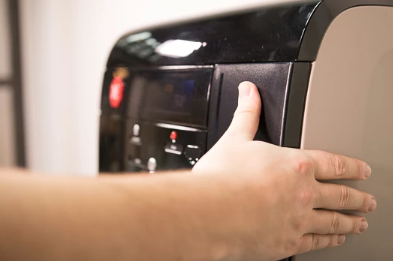
If you have a water tank, you can fill it and place it back into the coffee machine.
Image
Image instructions
Click to view

Activate the standby mode
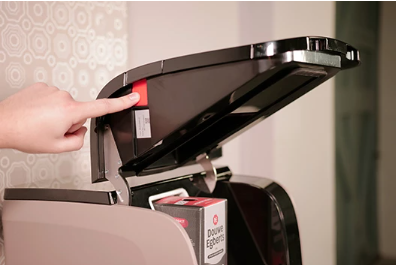
After rinsing, you can clean the exterior. During this, you may accidentally press the selection buttons. To prevent your machine from unintentionally making coffee, you can activate the standby mode. Open the refrigerator door and press the ‘standby’ button on the left side.
Image
Image instructions
Click to view

Clean the exterior
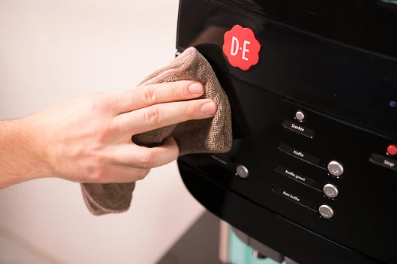
Wipe the exterior of your coffee machine with a clean, damp cloth. Once you’re finished, you can press the ‘standby’ button again
Image
Image instructions
Click to view

Done

You have successfully completed the weekly cleaning of your machine. Now you can once again enjoy a delicious cup of coffee!
Image