• Order before 1:00pm for delivery on your next scheduled delivery day
  • Free delivery on orders $300.00 and above
  • Need help? Call us on 1300 331 753
1
5

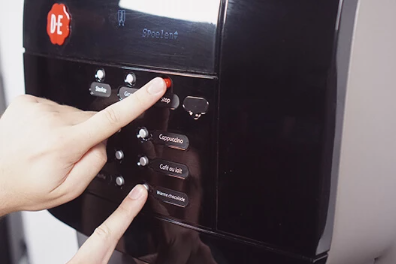
Activate the rinse mode

Hold down the red stop button and, while doing so, press the bottom‑right button (enter). After about 2 to 3 seconds, you will enter the cleaning mode. Make sure you are already holding the red stop button before pressing the bottom‑right button, otherwise a beverage will be dispensed from the machine.
Image
Image instructions
Click to view

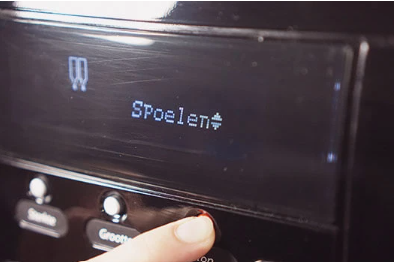
Select the rinse program

On the display, you will see “cleaning.” Use the second button from the bottom right until “rinsing” appears on the display. Then press the bottom‑right button.
Image
Image instructions
Click to view

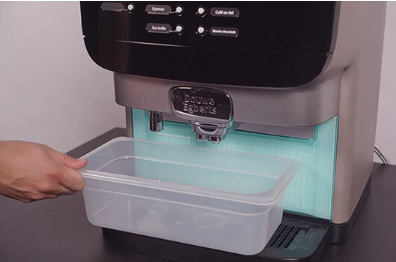
Place the catch tray

The display will now show ‘place catch tray’. You need to place the supplied catch tray under the outlet. If you don’t have it at hand, use a container with a capacity of at least 1 litre
Image
Image instructions
Click to view

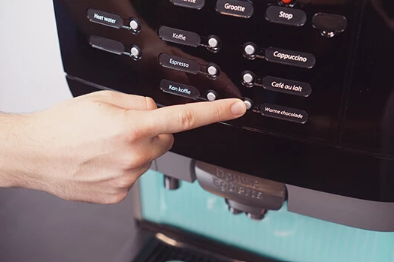
Start rinsing

Once you have placed the catch tray, you can press ‘enter’. The coffee machine will start the rinsing process. This takes up to 5 minutes.Warning: The liquids dispensed by the coffee machine are hot! Prevent burns! Keep your hands and other body parts away from the machine during the cleaning process
Image
Image instructions
Click to view

Done

You have completed the rinsing of your machine. Now you can once again enjoy a delicious cup of coffee!
Image